Re:Tech
Backed Up Every Night? The Restore Test That Decides Whether Any of It Counts
Dated5 min read
A decade of household backups, from the drive in a sock drawer to versioned cloud storage, and the short restore drill that tells you which parts actually work.
The first backup I ever set up for a household ran to a bare drive in a dock on top of a bookshelf, and it ran faithfully for two years before anyone asked it for anything. When the laptop died, the drive spun up, the folders were all there, and the photos opened to gray rectangles with the right file sizes and no image inside them. Nobody had ever opened one. That is the whole lesson, and I have watched some version of it repeat in a dozen houses since. A copy you have not read back is a rumor about a copy.
What the hardware was, and what it is now
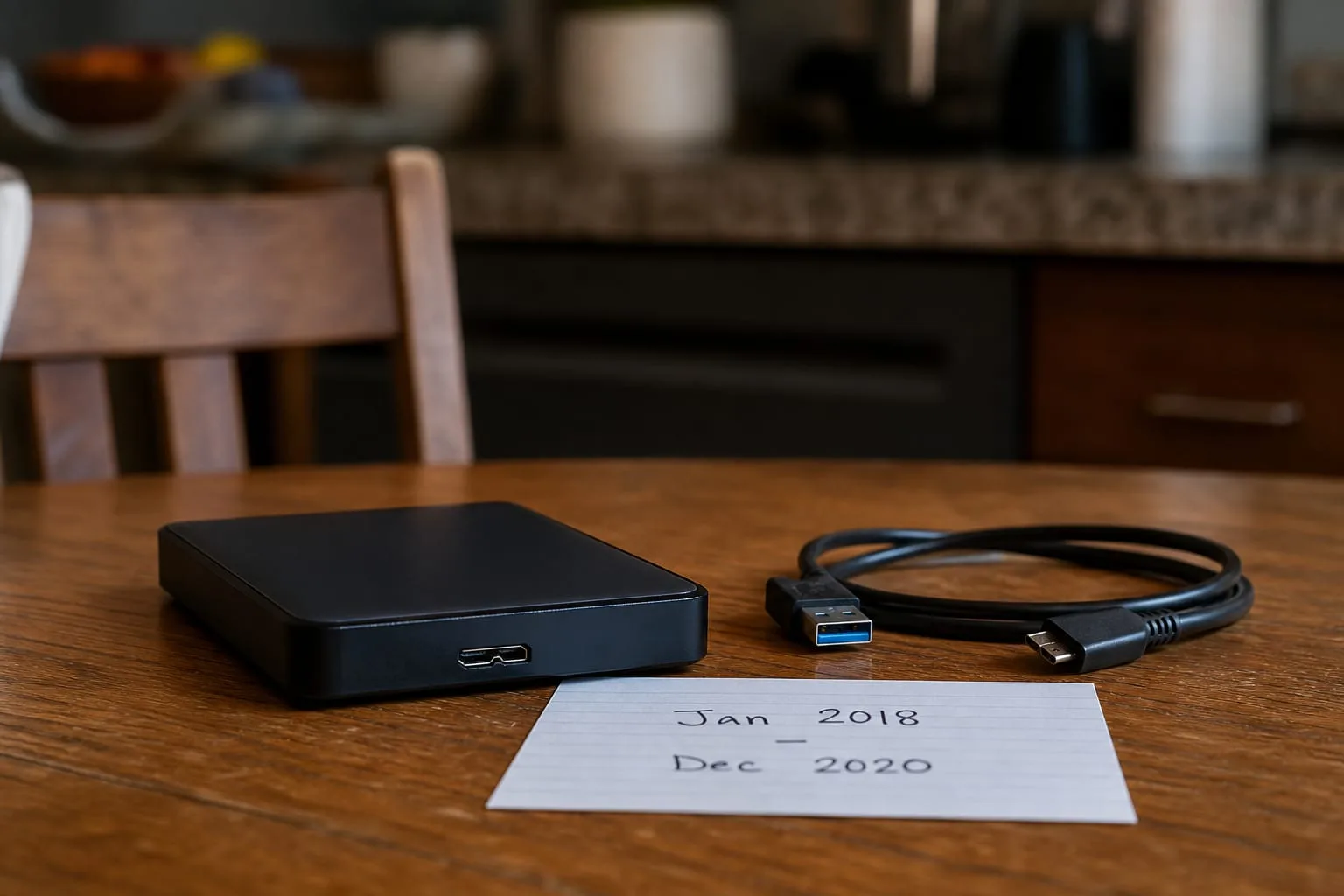
Ten years ago the physical stuff of a home backup was easy to hold. Two spinning drives in plastic enclosures, a USB cable that always failed before the drive did, a Sharpie label with a month on it, and a habit of driving one of them to a sibling's house every few weeks. Some people still had a stack of burned discs from an older era, sun-faded on a shelf, unreadable in any machine still in the house. The parts that wore out first were predictable: cables, then enclosure power supplies, then the drives themselves, usually around the four or five year mark, usually with warning.
Now the same household hands me an account login instead of a box. The backup lives in versioned cloud storage, the source data lives half on a laptop and half on two phones, and the physical component is often nothing more than the router and whatever upload speed the cable plan allows. That is a real improvement in one respect: nothing rots in a sock drawer, and no one has to remember the sibling's house. It also moves every failure point from something you can see to something you have to log in and check.
The substitution I see most often, when the proper thing is unavailable, is a sync folder standing in for a backup. A shared drive that mirrors a laptop is not a backup, because it is designed to make both copies agree. Delete a folder, or let something encrypt it, and the obedient service propagates that change everywhere within minutes. The good services keep versions and a trash bin with a retention window, which is the feature that turns sync into something closer to backup, and the retention window is the number worth writing down.
The threat that rewrote the whole approach
The decision looked different a decade ago because the thing we were defending against was different. Then it was hardware death, theft, spilled coffee, and the occasional house fire, all of which a second drive at another address handled well. The design goal was a copy that existed somewhere else. Ransomware changed the goal, because the attack reaches whatever the infected machine can write to, and a permanently connected external drive is exactly that. The old advice to leave the backup drive plugged in for convenience became the thing that lost people their backups.
So the modern layout has a property the old one did not need: at least one copy the working machine cannot modify. In practice that means versioned cloud storage with a retention window measured in weeks or months, or a drive that is genuinely unplugged between runs, or both. The National Institute of Standards and Technology is the federal body responsible for the cybersecurity framework that most of this guidance descends from, and the shape of its advice on recovery has held steady while the tools underneath changed completely. Keep copies, keep one out of reach, and prove you can read them.
The restore drill, and how long it actually takes
Testing does not mean restoring everything. It means picking three specific things and getting them back, on a machine that is not the one that made the backup, while nothing is on fire. I use the same three every time: one photo from more than five years ago, one document edited within the last week, and one file from a folder nobody has touched in ages, because stale folders are where silent sync failures hide. Open each one. Look at the actual contents, not the file name and size.
Then time it, because the number will surprise you. Restoring a full photo library over a residential connection is measured in days, not hours, and upload speeds on most home plans are a fraction of download. That does not make the cloud copy wrong, it makes it the second thing you reach for. The household that has been through a real loss usually ends up with a local drive for speed and a remote copy for safety, which is the same two-part answer we had ten years ago, arrived at from a different direction.
Run the drill twice a year. Put it on the calendar next to the smoke alarm batteries, do it in half an hour on a Sunday, and write the date and result on a card that lives with the drive or in the folder with the household papers. Three tests in a row that all pass is not wasted time, it is the evidence that lets you stop worrying about it between drills.
The keys, which is where it fails now
The failure mode that has grown fastest is not media rot. It is access. A backup encrypted with a passphrase nobody wrote down is gone as completely as a burned house, and an account protected by two-factor codes on a phone that died with the rest of the house is gone until you can prove who you are to a support queue. Ten years ago the equivalent problem was a drive with an unknown password, and it was rarer, because fewer people encrypted anything.
The fix is unglamorous and takes twenty minutes. Write down, on paper, the service name, the account email, the recovery codes it issued when you turned on two-factor, and any encryption passphrase for a local drive. Put that paper somewhere a fire will not reach, which for most households means a safe deposit box or a trusted relative's house, and update it when anything changes. Tell one other adult where it is. That single sheet is what turns a technically correct backup into one the family can actually use on the worst week of the year.
What I would set up today for a house I had never seen
A cloud backup service running continuously, with versioning turned on and the retention window confirmed in writing. Phones set to back up photos to the same account or a documented second one, because that is where most of the irreplaceable material now originates. One external drive, run monthly, unplugged and shelved between runs, holding a full copy so a bad week does not depend on upload speed. The paper sheet with the keys. And a recurring reminder every six months that says nothing more than the name of the three test files.
The households that come through a hard drive failure calmly are never the ones with the most storage. They are the ones where somebody opened an old photo six months ago, saw it, and closed it again.